Download the L2Gold Essence client
Download mirrors
L2GoldEssence.zip
≈ 13 GBZIP archiveWindows 10 / 11 · 64-bit


Run the game only from the launcher. If extraction fails, use 7-Zip / WinRAR. If a mirror is rate-limited, pick another.
Three steps to play
01
Create your account
Create a game account in the Account Panel. Don't reuse passwords.
02
Download the client
Pick a mirror above, download the archive, and extract it in full before running anything.
03
Launch through the Updater
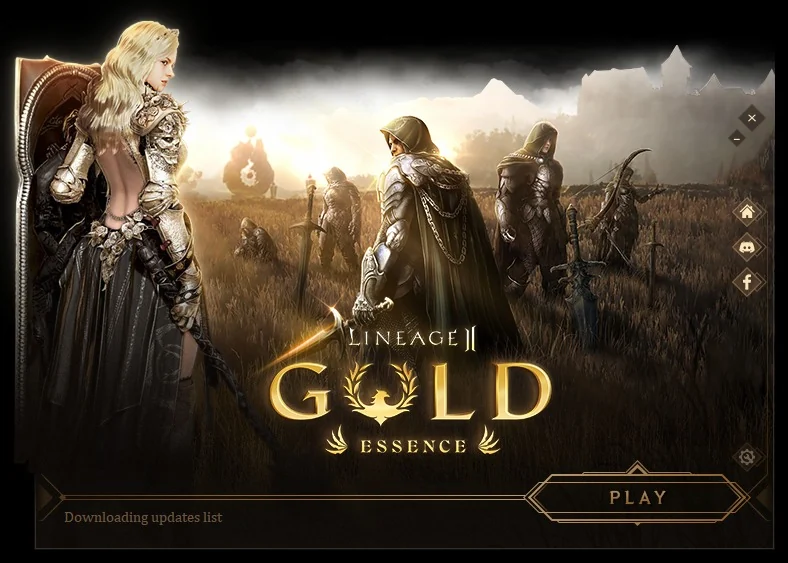
Start the game through the L2Gold launcher instead of the client executable. It checks for and pulls the latest files on every launch, so you always join on the current patch.
- Start the game only from the launcher, never the client .exe directly.
- It patches automatically on every launch, fetching the newest files.
- An out-of-date client is rejected at login. You can't get back in until it updates.
- Wait for the update check to finish, then hit Play and you're in.
System Requirements
The Essence client is light by modern standards. These are comfortable ballparks, not hard limits.
Minimum Spec
- OS
- Windows 10 / 11 · 64-bit
- CPU
- Quad-core, 2.5 GHz or faster
- Memory
- 8 GB RAM
- Graphics
- DirectX 9 GPU · 2 GB VRAM
- Disk
- ≈ 25 GB free (archive + install)
- Network
- Stable broadband connection
Before you launch
- Extract the full archive before running anything. Use 7-Zip or WinRAR if Windows fails.
- Run the game only from L2GoldEssence.exe; never patch over an old install.
- Whitelist the client folder in your antivirus to avoid false positives.
- Keep around 25 GB free for the archive plus the extracted client.
- Create your account first. You can't leave the starting area until launch.
Client downloading? Claim your name.
Create your account in the Account Panel while the archive lands, then run the launcher and jump in.